Versioning
Versioning is a critical feature for managing changes and synchronization of field groups across different environments. With CustomFieldGroups, versioning is seamlessly integrated to work with Git, ensuring that your field groups are consistently updated and synchronized. This process is designed to facilitate smooth transitions between development, staging, and production environments.
How versioning works
-
Field Groups storage: Field groups are automatically saved in the
/field-groups/directory of the module. This directory holds the JSON files representing your field groups. -
Functionality:
- Update: If a field group exists in the environment and is updated, the changes will be applied based on the latest file in the /field-groups/ directory.
- Creation: New field groups that are not present in the environment will be created automatically when the module is synchronized.
- Deletion: If a field group file is missing from the /field-groups/ directory and exists in the environment, it will be deleted to ensure consistency.
Activating versioning
To activate versioning:
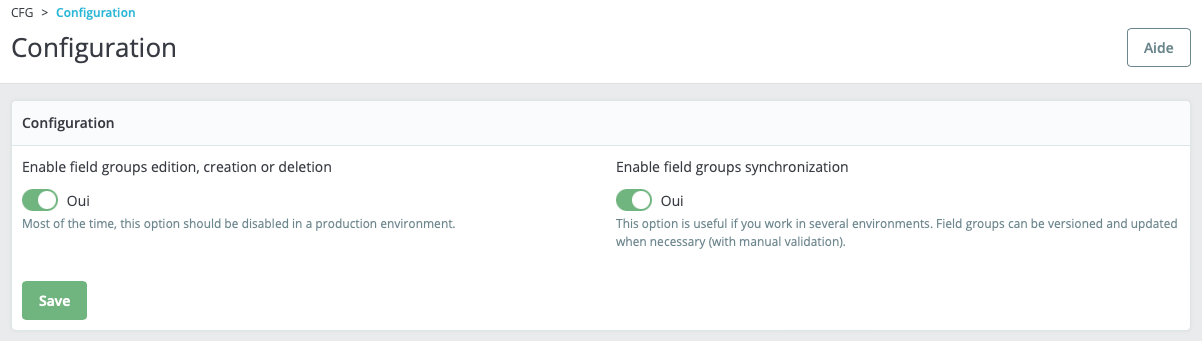
- Go to the module configuration page.
- Enable field groups synchronization from the settings.
Synchronization
-
Triggering synchronization:
-
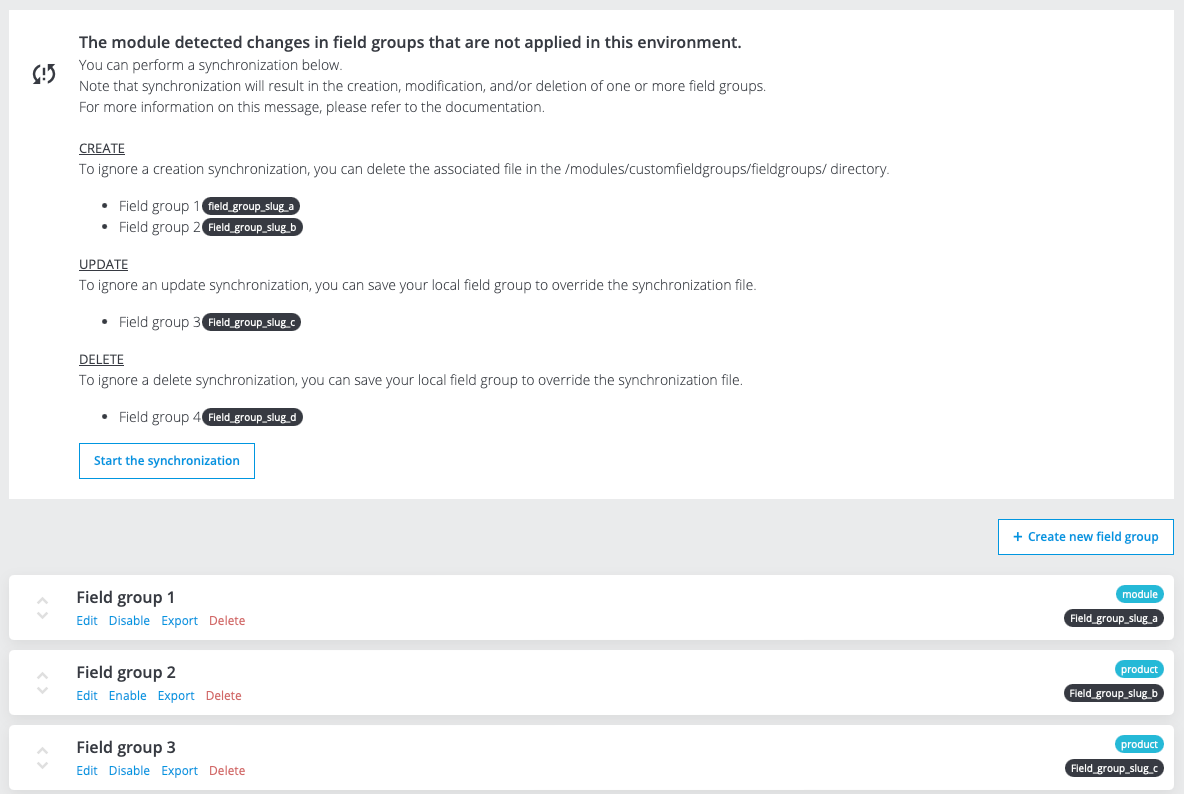
From the field groups page: A message will prompt you to launch synchronization if needed.
-
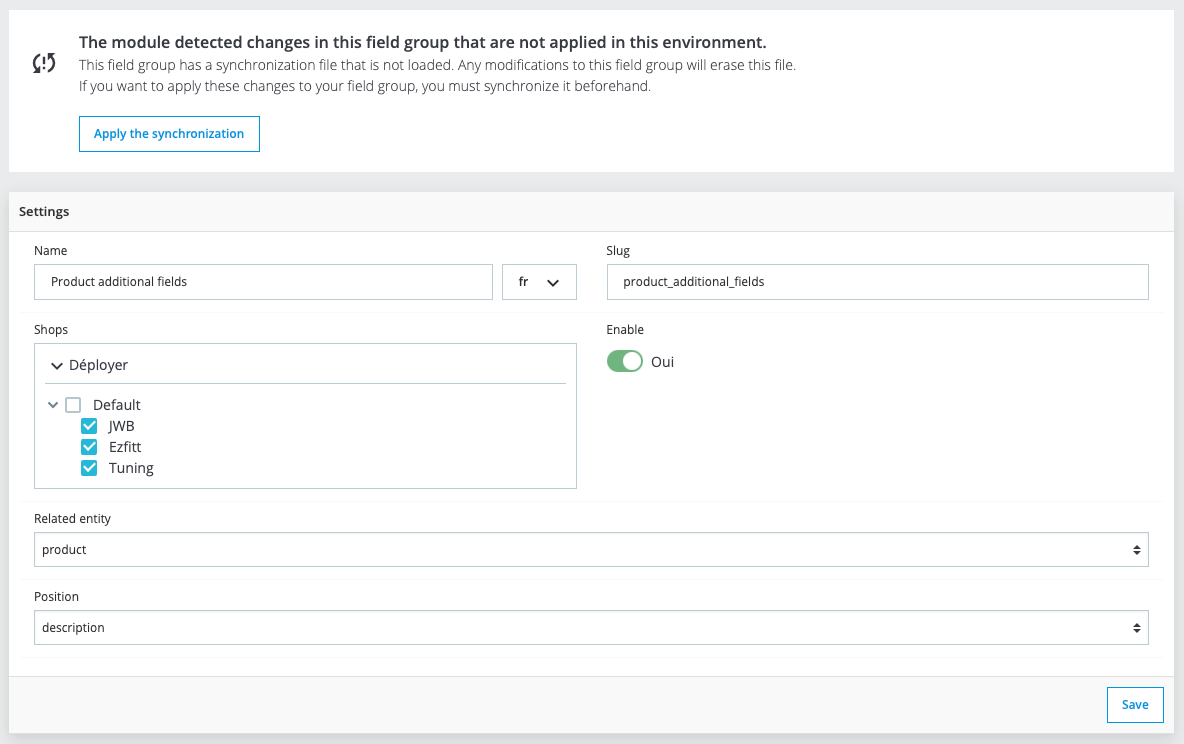
From the field group edit page: You can manually start synchronization to ensure the environment is up-to-date.
-
-
Running synchronization: Click the provided synchronization button to update your field groups. This process will ensure that all changes are reflected in your environment.
Best practices
-
Disable field group editing in production: Avoid making direct changes to field groups in the production environment. This helps prevent inconsistencies and potential issues with live data. You can enable this option in the module configuration page.
-
Use synchronization in production: Perform all updates and modifications to field groups in a development or staging environment. Use synchronization to apply these changes to the production environment, ensuring that all field group updates are controlled and tracked.
By following these practices, you can maintain a stable and synchronized setup across your different environments, enhancing the overall reliability and manageability of your module.