Guide
Contribute Data
To add data to your custom settings, follow these steps:
- Create a Field Group and attach it to the entity Custom Setting.
- Associate as many as you need fields to this field group.
- Go to the CFG > Custom Setting section of the back-office.
- Find your configuration page and contribute data.
Retrieve Data
You can retrieve data from the custom settings using two methods:
- Using the Data Retriever: In your template (Smarty) or PHP file, use the DataRetriever to easily access the data:
/some-file.php
$dataRetriever = DataRetrieverFacade::getInstance();
$settingData = $dataRetriever->get('setting', 'field_group_slug');
/some-template.tpl
{assign var="data" value=$modules.customfieldgroups.data->get('setting', 'field_group_slug')}
-
Using associated hooks:
-
Each field group can be associated with specific hooks in PrestaShop. If your custom setting is tied to a particular section of the website (e.g., homepage), you can use the associated hooks to automatically display the fields:
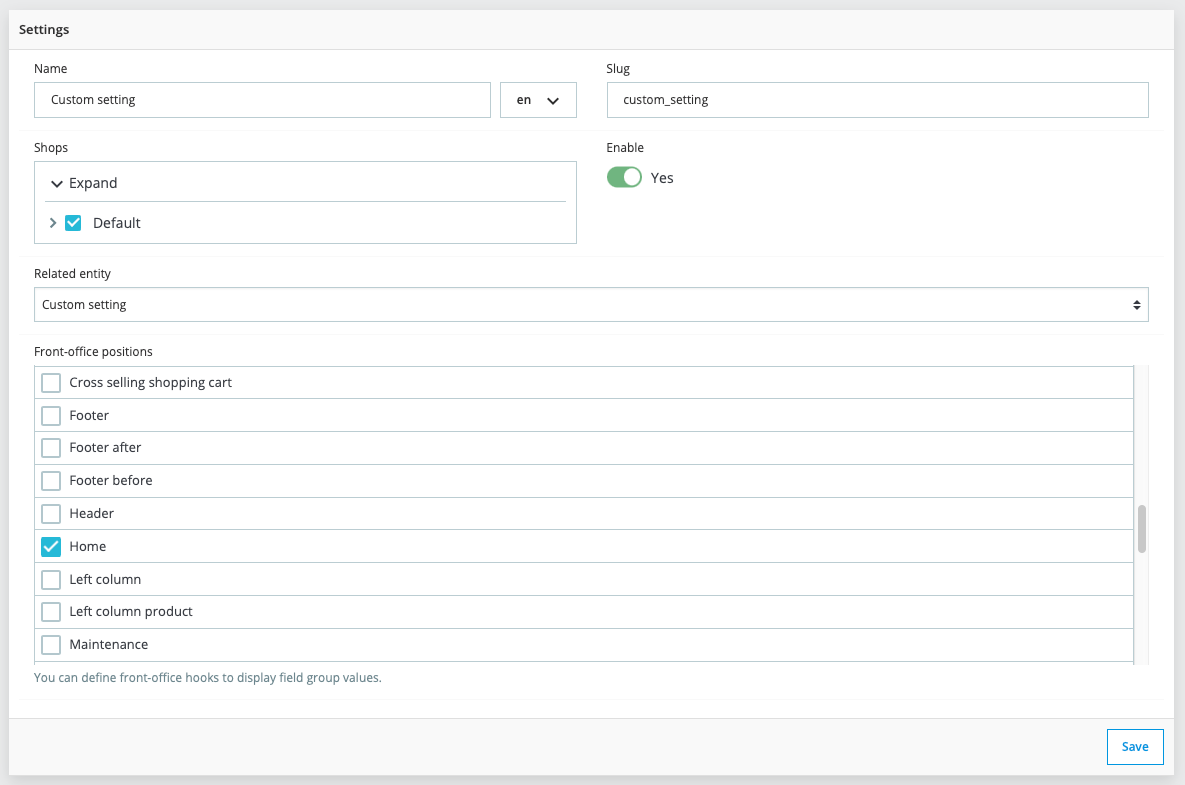
-
You can override the template as classic module. This is an example of override for the hook "displayHome":
-
/themes/your-theme/modules/customfieldgroups/views/templates/hook/display-home.tpl
{foreach from=$field_groups item=$elements key=$field_group_slug}
    {foreach from=$elements item=$value_details}

      {if $field_group_slug == 'custom_setting'}

        <div>
          <h1>{$value_details.slug_values.field_text_slug}</h1>
        </div>

      {else}

        <div class="cfg-card display-home">
          <div class="cfg-header">
            <span class="title">{$value_details.field_group->getName()}</span>
          </div>
          <div class="cfg-body">
              {include file="module:customfieldgroups/views/templates/hook/_partials/fields.tpl" values=$value_details.values field_group=$value_details.field_group}
          </div>
        </div>

      {/if}

    {/foreach}
{/foreach}