Group
A group field is used to create a collection of fields or sub-groups that are organized together. This allows you to bundle multiple fields or sub-groups into a cohesive unit, which can be managed and configured as a single entity. Useful for structuring complex forms where related fields and sub-groups need to be grouped for better organization.
Screenshots
Field render in form:
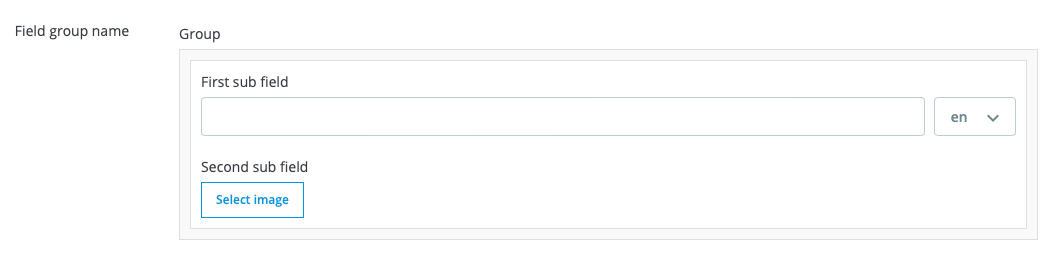
Field render in field group:
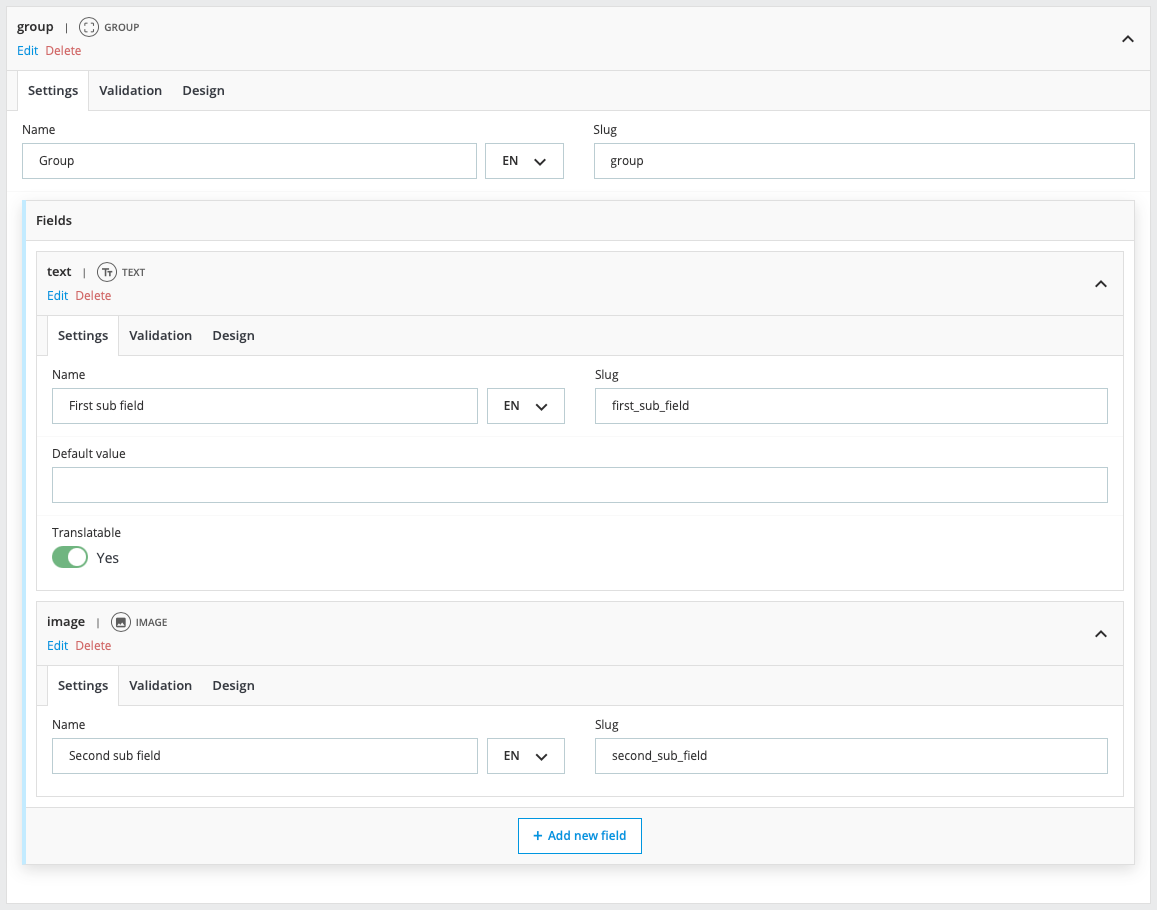
Configuration
- Settings:
- Name: The label for the field.
- Slug: The unique technical identifier.
- Fields: The individual fields or sub-groups included within this group.
- Design:
- Instructions: Text displayed alongside the field providing details about the data needed.
- Width: The width of the field in the form.
- Classes: Custom CSS classes for styling the field.
- ID: Custom ID attribute for the field.
- Text before: Additional text displayed before the field.
- Text after: Additional text displayed after the field.
Return format
- Type: array
- Value:
[
  // Sub field values as slug => value
  'sub_field_slug' => $value,
  'sub_group_slug' => [],
]
Usage
/some-template.tpl
{* Object or Entity and Id *}
{assign var="data" value=$modules.customfieldgroups.data->get($product)}
{assign var="data" value=$modules.customfieldgroups.data->get('product', $product.id)}

<div>
  <span>{$data.field_group_slug.field_slug_txt}</span>

  {if $data.field_group_slug.field_slug_img}
    <img src="{$data.field_group_slug.field_slug_img.url}"
         alt="{$data.field_group_slug.field_slug_img.name}"
    >
  {/if}
</div>
/SomeClass.php
function someMethod()
{
    $dataRetriever = DataRetrieverFacade::getInstance();

    $data = $dataRetriever->get($object);               // Object
    $data = $dataRetriever->get('product', $idProduct); // Entity and id

    $group = $data['field_group_slug']['field_group_slug'];
    $subField = $group['field_slug'];
}